A (9) Veina Siamsin Seminar le Zomi Siamsin Kipawlna Kum 50 Cin Kham Jubilee Lungdam Pihna Laipi
Zomi Siamsin Kipawlna- Universities Myanmar a IX veina Seminar Pawipi le Kum 50 cin Golden Jubilee Pawipi picing gualzo tak in Heilei khua Zogam ah i bawlzawhna thu kong lungdampih mahmah uhi cih amasa in kong pulak nuam uhi. Abei sa hunte ah Galkap kiukna hunhaksa sungah Siamsinte in akhang akhang in Gam le Nam ading pilvang tak le bucing tak in i zawhna tan pan mapangna kipiakkhiatnate gen zawhloh thu tampi mah sut khop om ahimanin etteh tak Zomi Siamsin te ading mipi in kipak in ki-angtang mahmah den ding hi cih zong kong thapia nuam uhi.
Khamtung nuntak haksatna tampi bek hilo in, tukum Zogam guahpi le mencip-pi in hong thuapnelh sukna hang tawh annek tuidawn nuntak khuasak nading lungkham kibehlap in vangik tampi om beh banah 2015 Gambup Kitelpi hangin zong Zomite sungah Party tuamtuam kidemna hangin khat le khat kikal khangthakte in ei tuah ngei loh thu hoih thu sia tampi hong piang khia sawnsawn ahimanin tuabang kawmkal ah khangthak Zomi Siamsinte in kithuhual tak in Seminar le Jubilee Pawi aki bawlzawh pen kong lungdam pih phadiak uhi.
Seminar Motto om mah bangin Zomite khat le khat kikal Piang kilamdang Pil le Theih kilamdang Deih kilamdang bek hilo Nuntak khuasak kilamdang in Mualkawm Kenkawm Lui le Gunte bek in hong hal hi nawnlo, Gamgite'n hong hal in Tuipi tampi te in hong halna sungmah ah ei nuntakna tek ah Phualva mah bangin Citak tek in, Thumanna tawh nungta in, Ki-itna Kithutuakna tawh nungta tek a, Meitei guntui bangin i luang khawm hialhial ding hi cih i phawktek den nading in khat le khat i kizawn tek nuam hi.
Kitelpi khit khuahun thak ah zong Mipitelna zahtak in Democracy khaici apung suakna ding a kipan Galkap ki-ukna abul pan lok khia in Pu le Pate khekhap ahi Panlong maban Democracy Federal gam lungtup taktak ngah zawhna dingin ei mimal kim vaipuak ahi hi.
Zogam le Kawlgam ading nasepna mabante ah zong ZSYO in ZSK UM tawh khut kilen in In-formal le Non-formal Education lam pilsinna akipan, Gam le Nam ading khangtohna tuamtuam mapang nasepnate ah thuman tak le bucing tak in mapang khop theihnate ah pang khawm nuam hihang cih cialna Topa Pasian min tawh kong zawn uhi ci kawm in a (9) veina Siamsin Seminar le Kham Jubilee Pawipi Lungdampihna Laipi kong khak uhi.
Zomi Student and Youth Organization
27 November 2015
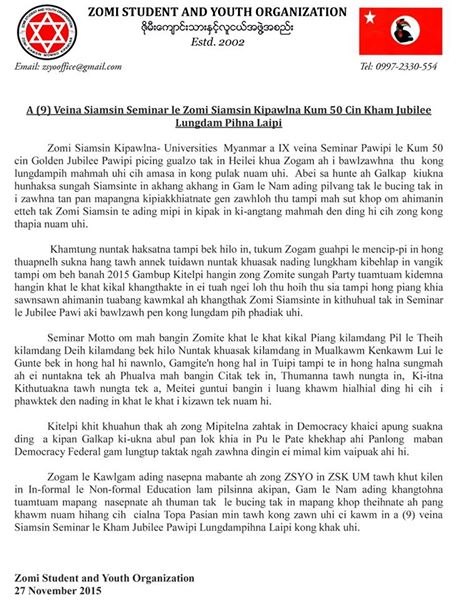
Zomi Siamsin Kipawlna- Universities Myanmar a IX veina Seminar Pawipi le Kum 50 cin Golden Jubilee Pawipi picing gualzo tak in Heilei khua Zogam ah i bawlzawhna thu kong lungdampih mahmah uhi cih amasa in kong pulak nuam uhi. Abei sa hunte ah Galkap kiukna hunhaksa sungah Siamsinte in akhang akhang in Gam le Nam ading pilvang tak le bucing tak in i zawhna tan pan mapangna kipiakkhiatnate gen zawhloh thu tampi mah sut khop om ahimanin etteh tak Zomi Siamsin te ading mipi in kipak in ki-angtang mahmah den ding hi cih zong kong thapia nuam uhi.
Khamtung nuntak haksatna tampi bek hilo in, tukum Zogam guahpi le mencip-pi in hong thuapnelh sukna hang tawh annek tuidawn nuntak khuasak nading lungkham kibehlap in vangik tampi om beh banah 2015 Gambup Kitelpi hangin zong Zomite sungah Party tuamtuam kidemna hangin khat le khat kikal khangthakte in ei tuah ngei loh thu hoih thu sia tampi hong piang khia sawnsawn ahimanin tuabang kawmkal ah khangthak Zomi Siamsinte in kithuhual tak in Seminar le Jubilee Pawi aki bawlzawh pen kong lungdam pih phadiak uhi.
Seminar Motto om mah bangin Zomite khat le khat kikal Piang kilamdang Pil le Theih kilamdang Deih kilamdang bek hilo Nuntak khuasak kilamdang in Mualkawm Kenkawm Lui le Gunte bek in hong hal hi nawnlo, Gamgite'n hong hal in Tuipi tampi te in hong halna sungmah ah ei nuntakna tek ah Phualva mah bangin Citak tek in, Thumanna tawh nungta in, Ki-itna Kithutuakna tawh nungta tek a, Meitei guntui bangin i luang khawm hialhial ding hi cih i phawktek den nading in khat le khat i kizawn tek nuam hi.
Kitelpi khit khuahun thak ah zong Mipitelna zahtak in Democracy khaici apung suakna ding a kipan Galkap ki-ukna abul pan lok khia in Pu le Pate khekhap ahi Panlong maban Democracy Federal gam lungtup taktak ngah zawhna dingin ei mimal kim vaipuak ahi hi.
Zogam le Kawlgam ading nasepna mabante ah zong ZSYO in ZSK UM tawh khut kilen in In-formal le Non-formal Education lam pilsinna akipan, Gam le Nam ading khangtohna tuamtuam mapang nasepnate ah thuman tak le bucing tak in mapang khop theihnate ah pang khawm nuam hihang cih cialna Topa Pasian min tawh kong zawn uhi ci kawm in a (9) veina Siamsin Seminar le Kham Jubilee Pawipi Lungdampihna Laipi kong khak uhi.
Zomi Student and Youth Organization
27 November 2015
Comments
Post a Comment